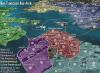
Can anyone shed some light on what BOB is and how I can get it?
thank you


Moderator: Community Team
Click the link in my Sig...BBCgirl wrote:Can anyone shed some light on what BOB is and how I can get it?
thank you


Come on now, you can be more descriptive than that, can't you?yeti_c wrote:Click the link in my Sig...BBCgirl wrote:Can anyone shed some light on what BOB is and how I can get it?
thank you
C.
PS you will need Firefox and Greasemonkey first though...
https://addons.mozilla.org/en-US/firefox/addon/748
 Just go in your game, and change the settings to what you want. Set your map opacity, chart type, text map, and all that stuff. But, remember, this will slow down your computer on some maps (Conquerman is particularly slow). If you want to turn it off, just look in the bottom right hand corner and click the little monkey. After you click him, he should be black and white and frowning. To turn it back on, just click him again to make him smile and in colour.

In the Bob menu - on the left - there are "Map Centering" buttons - clcik these until you line the co-ordinates up...Crazy_Ivan wrote:When I enable BOB, all of the functions work, but on my map the numbers are all duplicated, as if each number has a shadow. Does anyone else have this problem, or have a solution?!
Thanks!
Move your cursor to the far left of your window and move it around a bit until it pops back up.Poocho wrote:Ok, I just installed it, and it looks useful.... until you set Show Menu (or whatever it's called) to Off. Then you lose the entire menu you had on the left of the screen with no apparent way to turn it back on.
Is there a way to get into BOB again to edit its settings?
Thanks,
Poocho