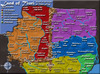
I think that you should leave that as it is, on plain sight they do not seem to be connected and changing the border may make it way more difficult. What you could do is lighten or darken either R1 or R#, it would be a minor change but it would be easier on the mind to see that there is no connection (I don't really know why, but it does help)WidowMakers wrote:They do not touch. I could make the boarder lines thinner but then there would be different line thicknesses. Plus if I clear that up then people might think the R4 and R2 touch. What does everyone think?
KING of the MOUNTAINS MAP [Quenched]
Moderator: Cartographers
Forum rules
Please read the Community Guidelines before posting.
- sully800
- Posts: 4978
- Joined: Wed Jun 14, 2006 5:45 pm
- Gender: Male
- Location: Bethlehem, Pennsylvania
I think you need to clear up the border as well. 4 way borders are not a good thing because you can never tell if they connect diagonally or not.WidowMakers wrote:They do not touch. I could make the boarder lines thinner but then there would be different line thicknesses. Plus if I clear that up then people might think the R4 and R2 touch. What does everyone think?
So I would either make R3 and R1 connect....or R2 and R4. Then adjust the borders accordingly.
-
WidowMakers
- Posts: 2774
- Joined: Mon Nov 20, 2006 9:25 am
- Gender: Male
- Location: Detroit, MI
I fixed the corner touching issue. Here are the picssully800 wrote:I think you need to clear up the border as well. 4 way borders are not a good thing because you can never tell if they connect diagonally or not.
So I would either make R3 and R1 connect....or R2 and R4. Then adjust the borders accordingly.


Here are the pics with 88 armies per territory to see how the circle line up.


http://jmhooton.iweb.bsu.edu/joel/KOTM/ ... rkings.xml
Last edited by WidowMakers on Tue Feb 20, 2007 10:42 pm, edited 1 time in total.
the map looks complete, bonuses fine, borders fine, (i didn't have a problem with the corners touching, then again i'm not retarded
)
but, the army shadows look absolutely awful. you need to try either, mayking the shadows with shadows behind them, so they look like they are vertical and slightly rasied of the mountains (i'm sure you can do that with Maya)
or, have more generic army numbers, make them fit in with lth mountain theme (how about different-shaped translucent small clouds.)
its looks beautiful, apart from the shadows
but, the army shadows look absolutely awful. you need to try either, mayking the shadows with shadows behind them, so they look like they are vertical and slightly rasied of the mountains (i'm sure you can do that with Maya)
or, have more generic army numbers, make them fit in with lth mountain theme (how about different-shaped translucent small clouds.)
its looks beautiful, apart from the shadows
"It is fatal to enter any war without the will to win it."
- General Douglas MacArthur
-
WidowMakers
- Posts: 2774
- Joined: Mon Nov 20, 2006 9:25 am
- Gender: Male
- Location: Detroit, MI
-I modeled the entire set in MAYA and positioned a camera and lights to cast them. So the shadows are not fake. That is how they would look if you built this by hand. In my original map they were fake but here they are "real". Well as real as a fake cartoony map of geometric mountains can beWisse wrote:p.s how did you make those shades? by hand? (shades of the hills)
-I really don't know what you mean by shadows with shadows behind them. The circles are a layer in Photoshop. I then applied a drop shadow and an emboss layer style to the entire layer. It gives the circles some depth and separates them from the mountains.bedplay wrote:but, the army shadows look absolutely awful. you need to try either, mayking the shadows with shadows behind them, so they look like they are vertical and slightly rasied of the mountains (i'm sure you can do that with Maya)
or, have more generic army numbers, make them fit in with lth mountain theme (how about different-shaped translucent small clouds.)
its looks beautiful, apart from the shadows

-Could you just further explain the "shadows with shadows behind" idea.
Plus integrating the army circle into the smaller shapes (i.e. the triangle, square and circle shape groups) is difficult because they are not all big and the numbers are larger than the territory size.
-Also. Does anyone else see how the circles could be improved?
Thanks for the input.
Last edited by WidowMakers on Sun Feb 18, 2007 9:18 pm, edited 1 time in total.
- Guiscard
- Posts: 4103
- Joined: Fri Dec 08, 2006 7:27 pm
- Location: In the bar... With my head on the bar
I hadn't looked at this for a while but WOW! Good job. Really looks very smart! Can't find any fault graphically, I'll take a look at playability if I get a chance.
qwert wrote:Can i ask you something?What is porpose for you to open these Political topic in ConquerClub? Why you mix politic with Risk? Why you not open topic like HOT AND SEXY,or something like that.
-
WidowMakers
- Posts: 2774
- Joined: Mon Nov 20, 2006 9:25 am
- Gender: Male
- Location: Detroit, MI
Here is a new pic with the "Hill" text replaced by Mountain

Small Version
http://jmhooton.iweb.bsu.edu/joel/KOTM/KOTM_10.S.jpg

Small Version
http://jmhooton.iweb.bsu.edu/joel/KOTM/KOTM_10.S.jpg
-
WidowMakers
- Posts: 2774
- Joined: Mon Nov 20, 2006 9:25 am
- Gender: Male
- Location: Detroit, MI
Here you go.Wisse wrote:only the tekst "mountain" near the tekst "yellow" must be lowered a bit and i think its perfect then

http://jmhooton.iweb.bsu.edu/joel/KOTM/KOTM_11.S.jpg
The Mountain text for the yellow bonus is fixed. Anything else?
-
WidowMakers
- Posts: 2774
- Joined: Mon Nov 20, 2006 9:25 am
- Gender: Male
- Location: Detroit, MI
The XML has been done for weeks.
http://jmhooton.iweb.bsu.edu/joel/KOTM/ ... rkings.xml
This last one was the edited version with the Corner change on R1-R4.
But other than that the same as page 10 KOTM6bonusforkings.xml
http://jmhooton.iweb.bsu.edu/joel/KOTM/ ... rkings.xml
This last one was the edited version with the Corner change on R1-R4.
But other than that the same as page 10 KOTM6bonusforkings.xml