Help
Play States
Play By Clickable Map
Deploy: Click on territory to deploy, choose number to deploy and click again to make deployment
Assault: Click on a territory to Assault from, then on a territory to Assault (right click to Auto Assault)
Advance: Click on conquered territory to choose to advance, choose number to advance, then click again to advance. Click on conquering territory to advance zero.
Reinforce: Click on a territory to Reinforce from, then on a territory to Reinforce to. Click again to confirm.
Play By Keyboard and Mouse
N Key: Skip to next game, Jump to next game
B Key: Begin Turn
E Key: End Deployment, End Assaults, End Reinforcement
L Key: Later (decline to play spoils)
W,S Keys: Increase/decrease troop quantity (slow)
Q,A Keys: Increase/decrease troop quantity (fast)
Mouse Wheel: Change troop quantity by scrolling over the selected region.
CTRL Key + Click: You can always use CTRL-click instead of the right mouse button.
Middle Click: To advance to next stage (Begin Turn, End Assaults, etc.) click the middle mouse button anywhere on the map.
2026-07-18 04:53:40 - Game has been initialized
2026-08-29 09:13:28 - Chariot of Fire eliminated kizkiz from the game
2026-08-29 09:14:02 - Chariot of Fire eliminated hjelp from the game
2026-08-29 18:21:09 - Chariot of Fire eliminated mr_inverto from the game
2026-08-29 18:21:09 - Chariot of Fire, LFAW, Cofari won the game
2026-08-29 18:21:09 - hjelp lost 17 points
2026-08-29 18:21:09 - mr_inverto lost 17 points
2026-08-29 18:21:09 - kizkiz lost 17 points
2026-08-29 18:21:09 - Chariot of Fire gained 17 points
2026-08-29 18:21:09 - LFAW gained 17 points
2026-08-29 18:21:09 - Cofari gained 17 points
2026-07-18 07:37:06 - hjelp: Hi gl :)
2026-07-18 17:58:21 - GoranZ: GO FALL!
2026-08-05 22:27:48 - GoranZ: GO FALL!
2026-08-13 21:28:41 - GoranZ: GO FALL!
2026-08-15 11:09:56 - LFAW: kingm for LFAW, he is away this weekend
2026-08-23 19:37:59 - Chariot of Fire: It's good you use up your good dice on a hopeless game ;) Keep it up please
2026-08-24 07:18:04 - hjelp: I don’t know what good dice are - I only know well played. You didn’t win thanks to well played. Only by luck...
2026-08-24 07:18:39 - hjelp: ,)
2026-08-24 07:36:15 - kizkiz: yes, this was over when my dice decided 0-20 odd was acceptable from a winning position. lol.
2026-08-24 08:12:16 - Chariot of Fire: Yeah I have to be honest cos after R3 you guys were dropping 20+ and we thought it was all over
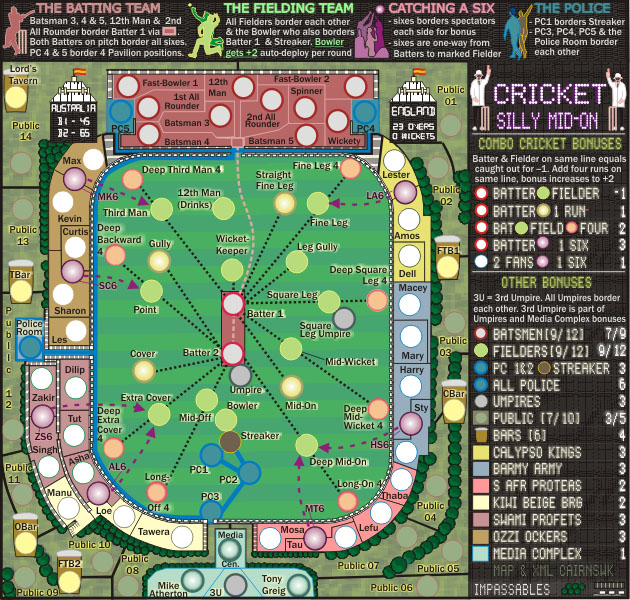
2026-08-24 08:14:31 - Chariot of Fire: It's also worth noting Kevin does not connect to SC6 (I thought it did cos I was playing on a phone) and it cost us one extra round before getting on the field
2026-08-24 08:15:46 - Chariot of Fire: >hjelp. It always comes down to luck, good or bad, between evenly matched teams. gg anyway guys
2026-08-24 19:29:26 - LFAW: gga
2026-08-25 14:49:48 - hjelp: Yes, it’s Sharon and Curtis if I recall. It’s difficult to read maps on the phone. I have the same problem