
No, what i was saying is don't worry about XML now - if you have the draft.blakebowling wrote:right, you'll need to convert it to a JPG (or JPEG) firstt-o-m wrote:But dont worry about XML just yet, if you do have a map as a PSD.tunik wrote:hello all,
suppose you have designed a great map in photoshop. how you go about the xml file? is there a sample xml file that one can look at?
Map-Making Q&A
Moderator: Cartographers
Forum rules
Please read the Community Guidelines before posting.
Please read the Community Guidelines before posting.
Re: Q&A: Map Making TTT (Tips, Tricks & Tutorials)
-
blakebowling
- Posts: 5093
- Joined: Wed Jan 23, 2008 12:09 pm
- Gender: Male
- Location: 127.0.0.1
Re: Q&A: Map Making TTT (Tips, Tricks & Tutorials)
that too, XML is the last step of the entire process, I'd reccomend waiting until your map Reaches Final Forge or gets Stickied in the Main Foundryt-o-m wrote:No, what i was saying is don't worry about XML now - if you have the draft.blakebowling wrote:right, you'll need to convert it to a JPG (or JPEG) firstt-o-m wrote:But dont worry about XML just yet, if you do have a map as a PSD.tunik wrote:hello all,
suppose you have designed a great map in photoshop. how you go about the xml file? is there a sample xml file that one can look at?
Re: Q&A: Map Making TTT (Tips, Tricks & Tutorials)
Actually the last stage would be nit picks and quenching.
-
blakebowling
- Posts: 5093
- Joined: Wed Jan 23, 2008 12:09 pm
- Gender: Male
- Location: 127.0.0.1
Re: Q&A: Map Making TTT (Tips, Tricks & Tutorials)
well, last thing that the mapmaker does, the last part of the building process (gosh tom, just because you've been here longer doesn't mean gimil likes you bettert-o-m wrote:Actually the last stage would be nit picks and quenching.
 )
)Re: Q&A: Map Making TTT (Tips, Tricks & Tutorials)
Excuse me?blakebowling wrote:well, last thing that the mapmaker does, the last part of the building process (gosh tom, just because you've been here longer doesn't mean gimil likes you bettert-o-m wrote:Actually the last stage would be nit picks and quenching.
-
cena-rules

- Posts: 9740
- Joined: Sat Apr 28, 2007 2:27 am
- Gender: Male
- Location: Chat
Re: Q&A: Map Making TTT (Tips, Tricks & Tutorials)
wtf blake you high??blakebowling wrote:well, last thing that the mapmaker does, the last part of the building process (gosh tom, just because you've been here longer doesn't mean gimil likes you bettert-o-m wrote:Actually the last stage would be nit picks and quenching.
19:41:22 ‹jakewilliams› I was a pedo
-
blakebowling
- Posts: 5093
- Joined: Wed Jan 23, 2008 12:09 pm
- Gender: Male
- Location: 127.0.0.1
Re: Q&A: Map Making TTT (Tips, Tricks & Tutorials)
maybe, you never knowcena-rules wrote:wtf blake you high??blakebowling wrote:well, last thing that the mapmaker does, the last part of the building process (gosh tom, just because you've been here longer doesn't mean gimil likes you bettert-o-m wrote:Actually the last stage would be nit picks and quenching.

Re: Q&A: Map Making TTT (Tips, Tricks & Tutorials)
Is it possible to have a territory that is a continent that's bonus is an auto-deploy - on a different terit?
Re: Q&A: Map Making TTT (Tips, Tricks & Tutorials)
No - "Autodeploy continents" are among one of the highest on the wishlists of map devs.t-o-m wrote:Is it possible to have a territory that is a continent that's bonus is an auto-deploy - on a different terit?
C.

Highest score : 2297
-
lgoasklucyl
- Posts: 526
- Joined: Mon Apr 07, 2008 8:49 pm
- Gender: Male
- Location: Somewhere in the 20th century.
Re: Q&A: Map Making TTT (Tips, Tricks & Tutorials)
River making- I just watched the terraform video, and am fascinated with how great the rivers looked. They surpassed simple blue lines and the banks looked great. Which tool was used for this/setting used on that tool? I'm using CS3.

Re: Q&A: Map Making TTT (Tips, Tricks & Tutorials)
lets see... map making handbook i think has the size restrictions... yep, here it is!
so yea, small map width 630, and height 600, with large height width 800, and height 800. You can change those around a bit, but those are the maximum map sizes. So for large you could have 800x100, and for small you could have 600x400, but the others are the max
I suggest you read the rest of the handbook, theres some good stuff in there
http://www.conquerclub.com/forum/viewto ... 10&t=40463
maybe look at map tools also if you need to know programs and such, it can be a big help
1. SMALL MAP: WIDTH up to 630 px; HEIGHT 600 px
2. LARGE MAP: WIDTH up to 840 px ; HEIGHT 800 px.
3. SIZE DIFFERENTIAL: A large map must be noticably larger than their small map; 9% larger is required but 33.3% (1/3rd) is recommended.
4. NOTE: Mapmakers are encouraged to make their large maps smaller than the maximum size limits when possible to eliminate scrolling to attack/read the sidebar info.
so yea, small map width 630, and height 600, with large height width 800, and height 800. You can change those around a bit, but those are the maximum map sizes. So for large you could have 800x100, and for small you could have 600x400, but the others are the max
I suggest you read the rest of the handbook, theres some good stuff in there
http://www.conquerclub.com/forum/viewto ... 10&t=40463
maybe look at map tools also if you need to know programs and such, it can be a big help

Re: Map-Making Q&A
I've split out a lot of the questions from the Tips and Tricks thread... Feel free to keep asking questions in here 

PB: 2661 | He's blue... If he were green he would die | No mod would be stupid enough to do that
-
Juan_Bottom

- Posts: 1110
- Joined: Mon May 19, 2008 4:59 pm
- Location: USA RULES! WHOOO!!!!
Re: Map-Making Q&A
Please tell me that this goes here...
I have a random question about map-making with Gimp. I have dail-up, so I cannot watch any tutorial videos on this. I would like to know if there are any add-ons for text, or how do you guys make text? I have Gimp 2 and the only fonts included are plain text. Is there any way to do something different such as bubble or shaded text? Or will I just need to make each letter by hand?
I have a random question about map-making with Gimp. I have dail-up, so I cannot watch any tutorial videos on this. I would like to know if there are any add-ons for text, or how do you guys make text? I have Gimp 2 and the only fonts included are plain text. Is there any way to do something different such as bubble or shaded text? Or will I just need to make each letter by hand?
Re: Map-Making Q&A
I'm not too sure how GIMP handles fonts - you may have to install/copy them into a particular folder?? Somebody experienced with the software should be able to help...
PB: 2661 | He's blue... If he were green he would die | No mod would be stupid enough to do that
Re: Map-Making Q&A
bryguy wrote:ok took me forever to find anything for this, but:
Adding font to GIMP 2.X (X being any number)
OK i found this on the internet, and here is the original link: http://raygunrobot.com/archives/The-eas ... -with-GIMP
But unless u dont want to scroll through what that guy has to say, im gonna put it in short:
First, know where your fonts that are used in places like Word are
Bring up GIMP
Go under File: Preferences
Scroll down all the way to the one that says Folders, and click the little triangle next to it
Now scroll down to Fonts
Once thats chosen, click the little image that looks like a page with a corner bent
Now it will have a little area for u to right where u want it to get some more fonts from, click the Folder button
Now a window will come up, now work go through your files to your folder were your fonts are kept throughout your computer
Hit ok
Then hit the ok in the bottom right corner
Restart GIMP
There ya have it! no more trouble with getting fonts that you really want in to GIMP!
-
Juan_Bottom
- Posts: 1110
- Joined: Mon May 19, 2008 4:59 pm
- Location: USA RULES! WHOOO!!!!
Re: Map-Making Q&A
Thank you very much bryguy and MrBenn.
Re: Map-Making Q&A
I am currently using GIMP to create a map, but dont know how to add arrows. I've tried downloading the brushes for it, but they are not what i want. The best solution i have found is creating arrows in word and copying/pasting into gimp, but this is annoying and causes pixellation. With the arrows i want to create i want to be able to change their oppacity so that the background can be seen. Thanks in advance.
Re: Map-Making Q&A
Nobody know how to make arrows in GIMP?
Re: Map-Making Q&A
Why not try drawing your arrows?
Re: Map-Making Q&A
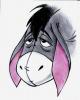
Why not get an image from the internet and use that on a separate layer?gho wrote:Nobody know how to make arrows in GIMP?
Like this:

- Click image to enlarge.

-
captainwalrus
- Posts: 1018
- Joined: Sun Nov 11, 2007 3:19 pm
- Location: Finnmark
Re: Map-Making TTT (Tips, Tricks & Tutorials)
I'm switching a map over from Photoshop elements 4 to GIMP 2.6.4 and everything works fine when I open the photoshop file in GIMP but the text seems to not work. I can't change the font or what it says. All the text layers come up as just normal layers. Will I have to re-do all the text?
Re: Map-Making Q&A
Yes. If it's an actual text layer in Photoshop it'll say "T" in the layer palette. Text layers are vector-based, so you can stretch, distort, or change them any way you like without creating pixellation. Likely the files you imported from GIMP don't have that vector-based layering, so Photoshop treats them like they are standard rasterized (pixel-based) layers.
-
captainwalrus
- Posts: 1018
- Joined: Sun Nov 11, 2007 3:19 pm
- Location: Finnmark
Re: Map-Making Q&A
Actualy, I did it the other way around, from Photoshop to GIMP, but I assume it is the same problem.TaCktiX wrote:Yes. If it's an actual text layer in Photoshop it'll say "T" in the layer palette. Text layers are vector-based, so you can stretch, distort, or change them any way you like without creating pixellation. Likely the files you imported from GIMP don't have that vector-based layering, so Photoshop treats them like they are standard rasterized (pixel-based) layers.